To apply for a Kyrgyzstan eVisa, you need a valid biometric passport (6+ months remaining), a digital photo (35×45 mm), a scanned colour copy of your passport data page, a flight itinerary, and proof of accommodation. Upload JPG, PNG, or PDF files up to 5 MB through the evisa.e-gov.kg portal and pay the fee by card.
Last reviewed in September 2026. The Ministry of Foreign Affairs of Kyrgyzstan operates the portal in English, and the Kyrgyzstan eVisa grants the same legal entry rights as an ordinary sticker visa. No embassy appointment or original document presentation is required; you only need an internet connection to complete the process.
Do UK Citizens Need a Kyrgyzstan e-Visa?
UK passport holders enter Kyrgyzstan visa-free for up to 30 calendar days within any 60-day period (per GOV.UK), but a Kyrgyzstan eVisa is required for longer stays.
The Kyrgyzstan eVisa becomes mandatory when your visit exceeds 30 days, involves multiple entries within a 60-day window, or covers non-tourist purposes such as business, work, or study. British travellers planning a trip exactly at the 30-day limit should apply for the eVisa to avoid overstay penalties due to flight delays or border timing.
Overstaying the visa-exempt travel period carries penalties enforced by Kyrgyzstan authorities. If your itinerary includes re-bordering to Kazakhstan or Uzbekistan and returning within the same 60-day window, the Kyrgyzstan eVisa provides a safer legal basis for re-entry than relying solely on the visa-free allowance. A visa eligibility check on the evisa.e-gov.kg portal confirms whether your specific travel plans require the eVisa.
Complete Document Checklist for the Kyrgyzstan eVisa
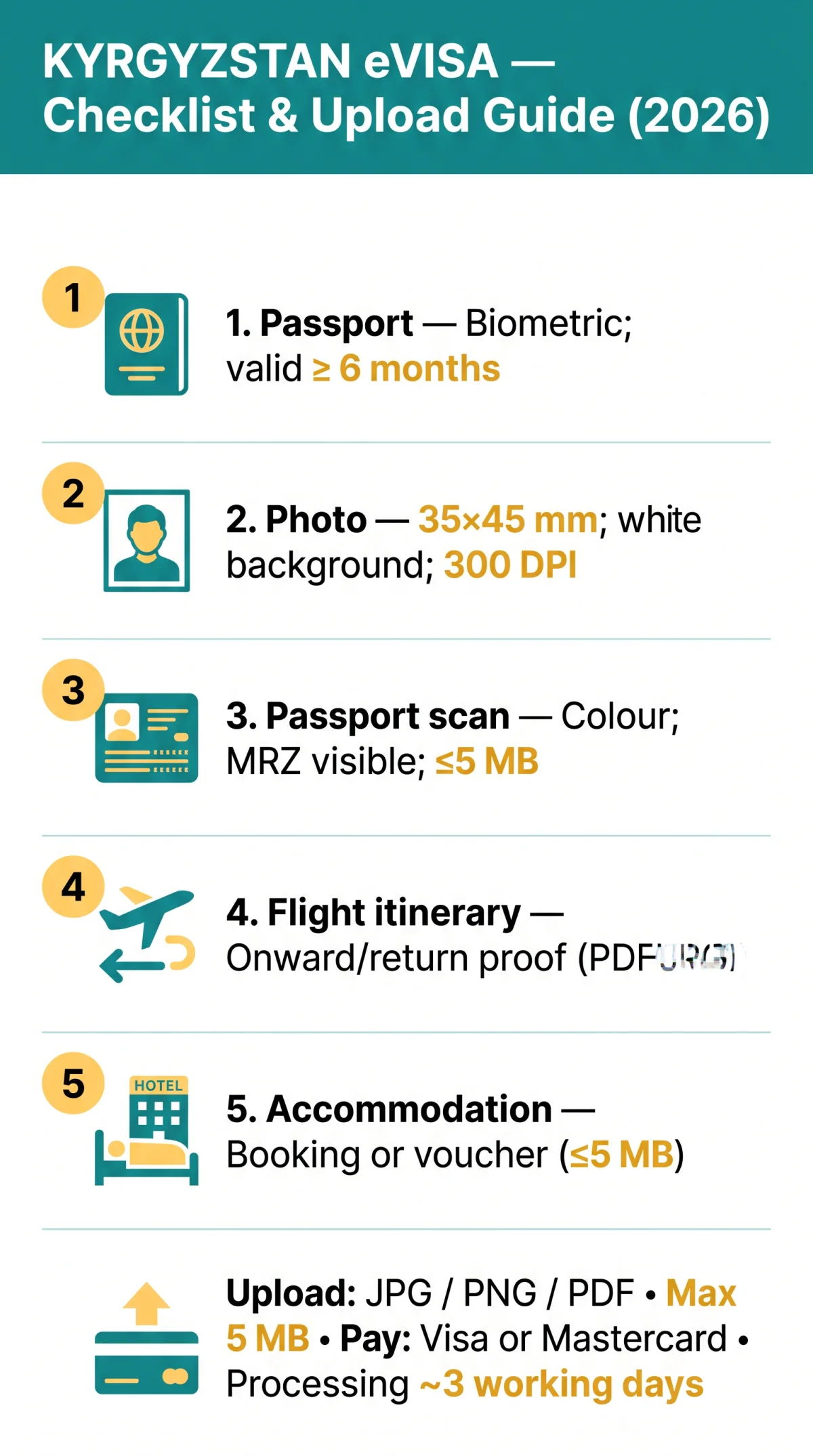
The Kyrgyzstan eVisa required documents checklist covers five core items: a biometric passport, a digital photo, a passport data-page scan, a flight itinerary, and accommodation proof.
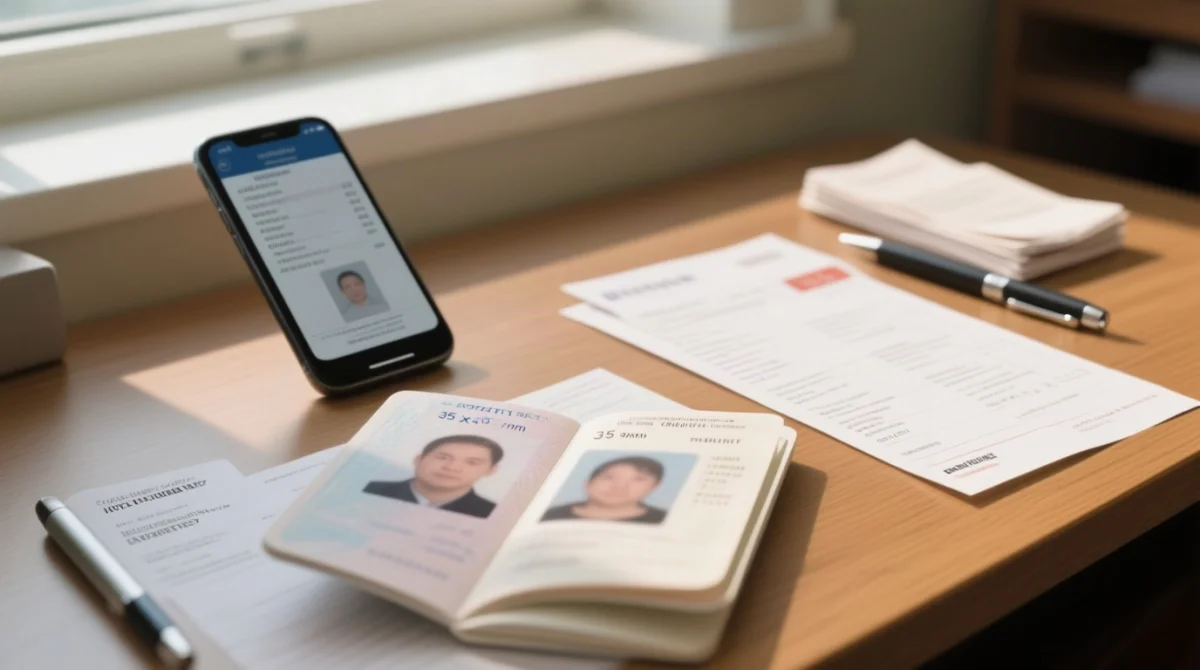
The Kyrgyzstan eVisa required documents checklist applies individually to every traveller, including infants and children. Each person needs a separate e-Visa per traveler with their own document set and application fee. The application does not require more information than a traditional paper application.
| Document | Required / Recommended | Key Specification | Notes |
|---|---|---|---|
| Biometric passport | Required | Valid ≥ 6 months beyond intended entry date; machine-readable | Must be biometric type; UK passports accepted |
| Digital passport photo | Required | 35 × 45 mm, white background, face 70-80% of frame | Minimum 300 DPI; save as JPG or PNG |
| Passport data-page scan | Required | Full colour; MRZ lines fully visible and legible | No cropping, no glare, no shadows |
| Flight itinerary | Required | Proof of onward or return travel | Confirms entry and exit dates on the application form |
| Hotel booking | Required | Accommodation reservation confirmation | Hotel voucher, Booking.com, or Airbnb confirmation accepted |
| Proof of sufficient funds | Recommended | Bank statement (last 3 months) or sponsorship letter | Less commonly requested for UK citizens |
Accepted File Formats and Technical Requirements
Accepted formats: JPG, JPEG, PNG, PDF; max 5 MB per file; min 300 DPI. The Kyrgyzstan eVisa portal enforces these limits via its automated OCR engine, which rejects scans below the resolution threshold.
| Document Type | Accepted Formats | Max File Size | Min Resolution | Notes |
|---|---|---|---|---|
| Passport data-page scan | JPG, JPEG, PNG, PDF | 5 MB | 300 DPI | Full colour, MRZ visible |
| Digital passport photo | JPG, JPEG, PNG | 5 MB | 300 DPI | 35 × 45 mm, white background |
| Flight itinerary | 5 MB | 300 DPI | Onward/return proof | |
| Accommodation proof | PDF, JPG, PNG | 5 MB | 300 DPI | Booking confirmation |
File format acceptance on the Kyrgyzstan eVisa portal also governs language rules: documents in English, Russian, or Kyrgyz are accepted without translation. Other languages may require certified translation before upload.
How to Scan and Prepare Your Documents
Scan your passport full-colour, no cropping, MRZ visible. Compress files to ≤5 MB with Squoosh or TinyPNG. The Kyrgyzstan eVisa required documents must meet the 300 DPI minimum to pass the portal automated quality checks.
For the passport scan, capture the entire biographical data page. The Machine Readable Zone (MRZ) lines at the bottom must remain fully visible. Avoid shadows, glare, and greyscale. Free smartphone apps such as Microsoft Lens and Adobe Scan produce high-quality scans that meet the resolution requirement.
Your digital photo needs a plain white background, a neutral expression, and your face covering 70-80% of the frame. Save it as a JPG or PNG at 35 × 45 mm dimensions. Remove glasses and headwear unless religious.
If any file exceeds the upload size limit, compress it with free tools such as Squoosh, TinyPNG, or ILoveIMG. After compression, open the file on your screen and verify that all text remains sharp and readable before you upload it to the evisa.e-gov.kg portal. For PDF compression, use Adobe Acrobat online or SmallPDF.
Step-by-Step Upload Instructions
Follow these step-by-step instructions to upload all Kyrgyzstan eVisa required documents through the evisa.e-gov.kg portal.
Visit evisa.e-gov.kg
and select “Get information.”
Create an account or log in
with your email address.
Check eligibility
by selecting United Kingdom as your document country.
Select your visa type
tourist or business.
Complete the personal information form
with your name, passport number, and travel dates.
Upload your passport scan
as a full-colour data page in JPG, PNG, or PDF format, max 5 MB.
Upload your passport photo
at 35 × 45 mm, white background, minimum 300 DPI.
Upload supporting documents
including your flight itinerary and accommodation proof in the same accepted formats.
Review every field
for typos before proceeding to payment.
Pay the fee in USD
by Visa or Mastercard debit or credit card only, then submit your Kyrgyzstan eVisa application.
The portal session can expire during idle periods. Save progress frequently and complete all uploads within one active session to avoid losing entered data.
Common Upload Errors and Troubleshooting
Common errors on the Kyrgyzstan eVisa portal (with solutions):
| Error Message | Likely Cause | Solution |
|---|---|---|
| “File too large” | File exceeds 5 MB upload size limit | Compress with Squoosh, TinyPNG, or ILoveIMG; re-save as JPG or PNG |
| “Unsupported file format” | Uploaded .heic, .tiff, or .docx | Convert to JPG, JPEG, PNG, or PDF before uploading |
| “Image is blurry” | Scan resolution below 300 DPI | Re-scan at 300 DPI or higher using Microsoft Lens or Adobe Scan |
| “Session expired” | Idle for too long during form completion | Save progress frequently; log back in and resume your application |
| “Photo does not meet requirements” | Wrong dimensions or non-white background | Re-format to 35 × 45 mm with a white background using visafoto.com |
| “Document not readable” | Glare, shadows, or cropped passport data page | Re-scan in even lighting; ensure the full Machine Readable Zone is visible |
A UK applicant reported in April 2026 that their .heic iPhone photo triggered the “Unsupported file format” error. Converting to JPG via the Files app resolved the issue in under 30 seconds. Following the checklist minimises errors and keeps your Kyrgyzstan eVisa application on track for the standard 3 working days processing time.
e-Visa Fees, Processing Times, and Payment
The Kyrgyzstan e-Visa fee is charged in US dollars (USD), and UK applicants should factor in their card provider’s GBP/USD exchange rate plus any foreign transaction surcharge. The portal accepts Visa and Mastercard debit or credit cards only for credit/debit card payment. No PayPal, Apple Pay, or bank transfer.
Standard processing takes approximately 3 working days, and there is no expedited option. You can track your application status by logging into your personal account on the evisa.e-gov.kg portal. You will also receive an email notification when a decision is made. Fees are generally non-refundable even if the Kyrgyzstan eVisa application is denied, so verify every uploaded file before submitting.
Once approved, download and print the e-Visa letter from your account and carry it with your Kyrgyzstan eVisa required documents at border control. Each traveller, including children and infants, pays a separate fee per individual application.
Frequently Asked Questions
What documents are required for a Kyrgyzstan e-Visa in 2026?
A valid biometric passport (6+ months remaining), digital photo (35×45 mm, white background), passport data-page scan, confirmed flight itinerary, proof of accommodation, and a Visa or Mastercard for payment.
What file formats does the Kyrgyzstan eVisa portal accept?
JPG, JPEG, PNG, and PDF. Each file must be under 5 MB with a minimum 300 DPI resolution for scans and photos.
Can I apply if my passport expires in less than 6 months?
No. Passport validity 6 months beyond your intended entry date is mandatory. Renew your UK passport before starting the Kyrgyzstan eVisa application.
Do I need to translate my documents for the Kyrgyzstan eVisa?
Documents in English, Russian, or Kyrgyz are accepted without translation. Other languages may require certified translation before upload.
How long does Kyrgyzstan eVisa processing take?
Approximately 3 working days. No expedited option is available through the portal.
What payment methods are accepted for the eVisa fee?
Visa and Mastercard debit or credit cards only. The fee is charged in USD. No PayPal, Apple Pay, or bank transfer.
Do I need an invitation letter for a tourist e-Visa?
No. A Letter of Invitation is only required for business or work e-Visas. A hotel booking confirmation suffices for tourist Kyrgyzstan eVisa applications.
How do I track my Kyrgyzstan eVisa application?
Log into your personal account on the evisa.e-gov.kg portal to check your application status. You will also receive an email notification when a decision is made.
Can I use the same photo for passport scan and passport-size photo?
No. The passport scan is a full-colour scan of the biographical data page. The digital photo is a separate headshot with a white background at 35×45 mm. These are two different uploads on the Kyrgyzstan eVisa portal.
What if my application is rejected due to document issues?
You will receive a notification explaining the reason. Common causes include blurry scans, wrong photo formats, or missing files. Correct the issues and resubmit through the same account; the fee may need to be paid again.